Printer Common issues
common issues which we face with our printers in daily routine.
Common Printer Problems and How to Troubleshoot Them Easily
Introduction
Printers are essential devices for both home and office use, playing a vital role in everyday tasks such as printing documents, assignments, invoices, and reports. Despite their usefulness, printers are not immune to problems. Many users encounter issues like printers going offline, connection errors, slow performance, or print jobs not responding at all.
These problems can be frustrating, especially when you need urgent printouts. However, the good news is that most printer issues are caused by simple and manageable factors such as incorrect settings, connectivity problems, or outdated software. Understanding these common problems and their basic causes can help you troubleshoot them more effectively without needing advanced technical knowledge.
This guide explains some of the most frequent printer issues and provides easy-to-follow troubleshooting steps. By following these suggestions, you can often resolve problems quickly and keep your printer running smoothly.
1. Printer Showing Offline
One of the most common problems users face is when the printer shows an offline status even though it is turned on and appears ready to use. This issue typically occurs when there is a communication gap between the printer and your device.
Possible Causes
Weak or lost network connection
USB cable not properly connected
Incorrect printer settings
System glitches
How to Troubleshoot
Start by checking whether your printer is properly connected to your computer or WiFi network. If you are using a wireless printer, ensure that both your printer and your device are connected to the same network.
You can also try the following steps:
Restart your printer and computer
Check the printer status in your system settings
Set your printer as the default device
Disable the “Use Printer Offline” option if enabled
These simple actions can often bring your printer back online.
2. Printer Not Printing
Sometimes your printer appears ready, but it does not print any documents. This can be confusing, especially when there are no visible errors.
Possible Causes
Stuck print queue
Outdated or corrupted drivers
Connection issues
Low ink or toner levels
How to Troubleshoot
Begin by opening the print queue and checking for pending or stuck print jobs. Cancel all documents in the queue and try printing again.
Additional steps include:
Restarting both your printer and computer
Ensuring the correct printer is selected
Updating or reinstalling printer drivers
Checking ink or toner levels
If the issue persists, reconnecting the printer to your system can help restore proper functionality.
3. Difficulty Connecting Printer to WiFi
Wireless printing is convenient, but it depends heavily on a stable network connection. If your printer is not connecting to WiFi, it can prevent you from printing altogether.
Possible Causes
Incorrect WiFi password
Weak signal strength
Network configuration issues
Router problems
How to Troubleshoot
Make sure you are entering the correct WiFi password when connecting your printer. Also, ensure that your printer is within range of the router.
Try these steps:
Restart your router and printer
Reconnect the printer to the WiFi network
Move the printer closer to the router
Check for network interruptions
A stable connection is essential for wireless printing, so resolving network issues is key.
4. Slow Printing Speed
Slow printing can be frustrating, especially when dealing with large documents or multiple print jobs.
Possible Causes
High-quality print settings
Large file sizes
Outdated drivers
Limited system resources
How to Troubleshoot
You can improve printing speed by adjusting your printer settings.
Helpful tips include:
Lowering print quality for regular documents
Printing in draft mode when possible
Updating printer drivers
Closing unnecessary applications on your computer
These steps can help speed up the printing process without affecting basic output quality.
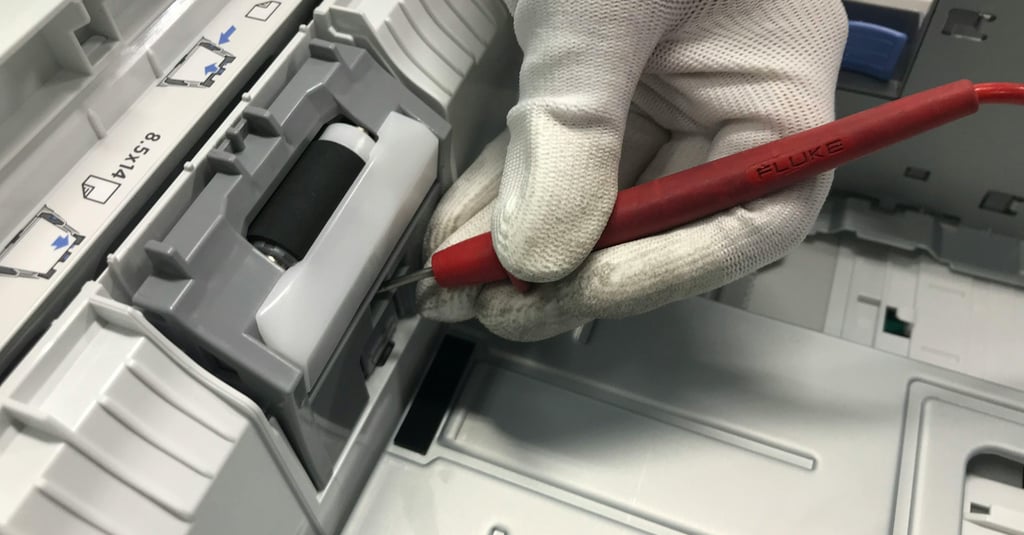
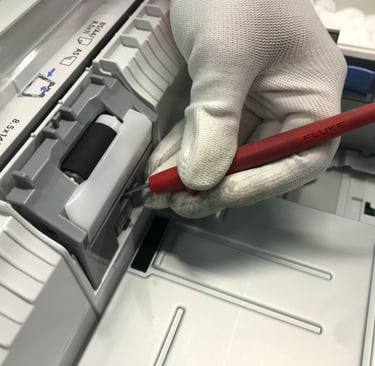
5. Paper Jams
Paper jams are one of the most frequent printer problems and can interrupt your workflow unexpectedly.
Possible Causes
Incorrect paper loading
Overloaded paper tray
Dust or debris inside the printer
Using the wrong type of paper
How to Troubleshoot
Carefully open the printer and remove any jammed paper. Avoid pulling paper forcefully, as it may damage internal components.
To prevent future jams:
Load paper properly and align it correctly
Do not exceed the tray’s capacity
Use recommended paper types
Keep the printer clean
Proper handling and maintenance can significantly reduce paper jam issues.
6. Poor Print Quality
If your printed documents appear faded, blurry, or streaked, it indicates a problem with print quality.
Possible Causes
Low ink or toner levels
Clogged print heads
Incorrect print settings
Low-quality paper
How to Troubleshoot
Start by checking your ink or toner levels and replacing cartridges if needed.
Other solutions include:
Running a print head cleaning cycle
Adjusting print quality settings
Using high-quality paper
Aligning the print heads
Regular maintenance can help maintain consistent and clear print output.
7. Driver Installation Issues
Printer drivers are essential for communication between your device and the printer. If drivers are not installed correctly, your printer may not function properly.
Possible Causes
Incorrect driver version
Incomplete installation
Compatibility issues
How to Troubleshoot
Always download drivers from the official manufacturer’s website to ensure compatibility and security.
Follow these steps:
Uninstall any existing drivers
Download the latest version for your printer model
Install the driver carefully
Restart your device after installation
Proper driver installation is crucial for smooth printer operation.
Additional Troubleshooting Tips
In addition to the issues mentioned above, here are some general tips that can help resolve many printer problems:
Restart your devices regularly
Keep your printer firmware updated
Check for system updates on your computer
Ensure cables are securely connected
Avoid overloading the printer
These simple practices can prevent many common issues and improve overall performance.
Preventive Measures for Better Performance
Preventing problems is always better than fixing them later. Here are some preventive measures you can follow:
Clean your printer regularly to remove dust
Use genuine or recommended ink and toner
Keep your printer in a stable environment
Avoid leaving the printer unused for long periods
Perform routine maintenance checks
By taking these steps, you can extend the life of your printer and reduce the chances of unexpected issues.
Important Note
The troubleshooting steps provided in this article are general suggestions intended for informational purposes only. The exact solutions may vary depending on your printer model, brand, and operating system.
For detailed instructions specific to your device, it is recommended to refer to the official documentation provided by the manufacturer.
This website provides informational content only and does not offer technical support, repair services, or direct assistance for hardware-related issues.
Conclusion
Printer issues are common, but most of them can be easily understood and resolved with basic troubleshooting steps. Whether your printer is offline, not printing, or producing poor-quality output, identifying the cause is the first step toward finding a solution.
By following the simple guidelines outlined in this article, users can restore normal printer functionality without much difficulty. Regular maintenance, proper setup, and keeping drivers updated can go a long way in preventing these issues.
With a little patience and the right approach, you can ensure that your printer continues to perform efficiently and reliably whenever you need it. You can also explore other guides on printer setup, connection methods, and troubleshooting steps available on this website for additional information.